Follow-up email after no response from a client: 6 templates
Client gone quiet? Six follow-up and reminder email templates for proposals, contracts, files, approvals and unpaid invoices, plus when to follow up.
 Xiaofei Du
Updated
A good follow-up email after no response from a client names what you are waiting for, asks for one clear action, and explains any deadline. Reply in the existing thread so the client has the context. If you agreed on a reply date, follow up when it passes; otherwise, a few business days is a reasonable starting point, adjusted to the work.
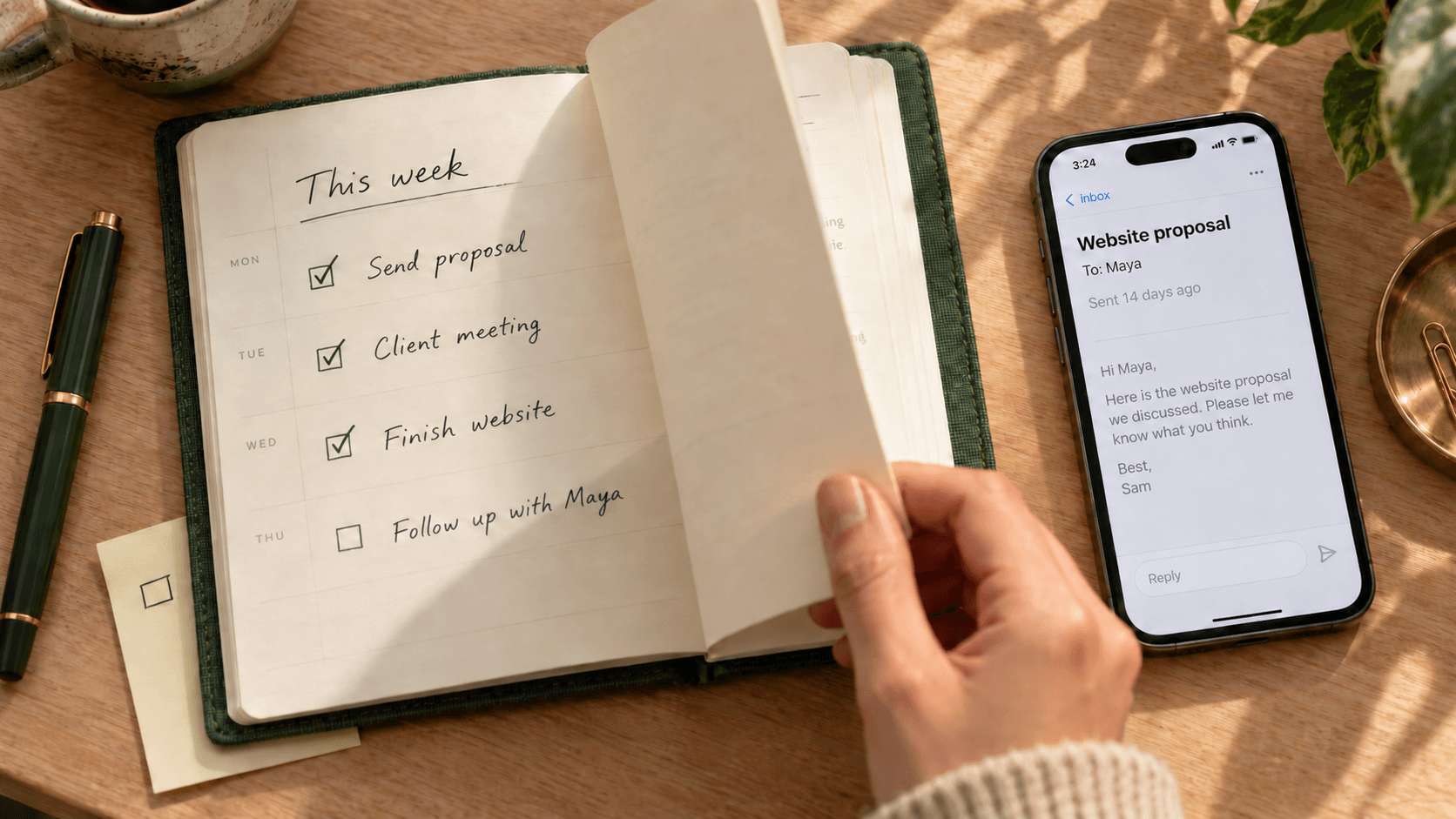
On Monday you sent Maya a website proposal, and she said she would get back to you this week. It is now Wednesday of the following week, and nothing has arrived. Is it too soon to follow up? What can you write that does not read as chasing? The same question comes back later in a project, while you wait for a signed contract, brand files, approval or payment. The right message depends on what is outstanding and what cannot happen until it arrives.
Below are six templates you can copy and adapt, followed by a simple way to keep track of the things you are waiting for.
Follow-up email templates for clients who haven’t replied
These examples assume you have already discussed the work with the client. Replace the names, dates and project details before sending. When replying in the original thread, keep its subject line. The suggested subjects below are for a new email.
1. A short follow-up on a requested proposal
Use this after a client asked you for a proposal or quote. Refer to the conversation and ask about the decision or its timing.
Hi Maya,
Following up on the website proposal I sent after our call. Does the scope cover what you had in mind, or is there anything you would like me to adjust?
If you need more time to review it, could you let me know when I should check back?
Thanks,
Sam
2. A reminder about an unsigned contract
Connect the signature to the next step. Mention a start date only if it is real, and make it easy for the client to raise a question before signing.
Hi Maya,
Could you review and sign the website contract by Thursday? We need the signed agreement before we can begin work on Monday.
Here is the signing link again: [signing link]
If there is anything in the agreement you would like to discuss first, please let me know.
Thanks,
Sam
3. Following up on missing files or access
Name the exact item and explain what it is blocking. A request for “the remaining materials” makes the client figure out what you still need.
Hi Maya,
Could you send the three product photos for the homepage by Thursday? We need them to finish the page before Friday’s review.
If the photos will take longer, please let me know when they will be ready so I can update the schedule.
Thanks,
Sam
For account access, ask the client to invite you through the service’s sharing controls. Do not ask them to email a password.
4. Following up on feedback or approval
Specify what needs approval and what you will do once you receive it. Silence does not count as approval.
Hi Maya,
Could you confirm whether the homepage draft is approved, or send any remaining changes by Wednesday?
Your approval is the last thing we need before scheduling the launch. If your team needs more review time, let me know and I will revise the launch date.
Thanks,
Sam
5. A follow-up email for an overdue invoice
Include the invoice number, amount and due date, and attach the invoice again. Check that payment has not already arrived before sending.
Hi Maya,
Following up on invoice #1042 for $2,400, which was due on October 15. I have attached a copy for reference. Could you confirm when payment is scheduled?
If someone else handles payments, could you point me to the right person?
Thanks,
Sam
6. Pausing follow-ups on an unconfirmed project
Use this when a proposal has had no response after your earlier follow-ups and no work has been agreed. This closes your follow-up schedule; it does not cancel an existing contract or settle an unpaid invoice.
Hi Maya,
I will pause my follow-ups on the website proposal for now. If you would like to pick it up again, reply here and we can confirm the scope and my availability at that point.
Thanks again for considering me for the project.
All the best,
Sam
When should you follow up with a client?
Start with the reply date you agreed on with the client. If they said they would respond on Friday, follow up after that date. If no date was agreed, use the timing below as a suggested starting point, then adjust it to the client’s review process and your project schedule.
| What you are waiting for | Suggested first follow-up | What to include |
|---|---|---|
| A requested proposal or quote | Around five business days after sending | The decision needed, or a request for a review date |
| A contract signature | Two or three business days, depending on the agreed start date | The signing link and what depends on the signature |
| Files or account access | After the agreed handover date; otherwise, around two business days | The exact missing item and the work it blocks |
| Feedback or approval | After the review deadline; otherwise, agree on a review date | What needs approval and the effect on the schedule |
| An overdue invoice | Once the payment due date has passed and you have checked for payment | Invoice number, amount, due date and a copy of the invoice |
These are suggested intervals, not response-rate benchmarks. A complex proposal may need a longer review; a missing file may need attention today. If a deadline is close, use an agreed phone or messaging channel as well, and record the outcome in the email thread.
How many times should you follow up after no response?
A proposal that has not been accepted: after two or three unanswered follow-ups, consider pausing and leaving the door open. Avoid reserving time indefinitely without an agreement.
An active project: another identical reminder may not help. Contact the person who can unblock the work, explain the schedule impact, and agree on a revised date or pause. Keep a written record of that decision.
An unpaid invoice: keep the payment item open and follow your agreed payment process. A third unanswered email does not resolve it.
The useful question is what needs to happen next for this particular piece of work. Counting emails alone cannot answer it.
How to write a polite reminder email after no response
A polite client reminder can still be specific:
- Name the outstanding item. “Could you send the product photos?” gives the client a clear action. “Any updates?” leaves them to reconstruct the request.
- Explain a real consequence. “We need approval before scheduling the launch” tells them why the reply matters. Avoid invented urgency.
- Keep the next action small. Ask for approval, the missing item, or a realistic date. Save unrelated questions for another message.
- Check the latest context. A colleague may have received the files, or the client may have answered in a different thread. Check before chasing.
- Make the reply easy. Include the relevant link or attachment, and give them a way to say they need more time.
How to adapt a client follow-up email with AI
If a template does not quite fit, give your AI writing tool the relevant conversation and explain what you need next. Include any replies since your original request, even if they arrived in another thread. Share only the details needed for the draft, following your client’s confidentiality requirements.
Copy these instructions and fill in the brackets:
Draft a follow-up email to an existing client using the context below.
Previous email and later updates: [paste the relevant messages or a factual summary]
What is still outstanding: [the decision, signature, files, approval or payment]
What I need next: [one specific action or a confirmed date]
Timing and impact: [any agreed deadline and what depends on it; say if none was agreed]
Tone: [how I normally write to this client, or a short example]
Use only the facts provided. If essential context is missing, ask before drafting. Do not invent deadlines, commitments, fees or attachments. Do not treat silence as approval, or a promise to send something as completion. Keep enough context for the client to act, with one clear request. Return the email body for my review.
Example: the client replied, but the work is still waiting
Suppose Maya replied to your request for homepage approval: “We are reviewing it internally.” You have no agreed review deadline, and approval is needed before you can schedule the launch. Ask the AI to adapt template 4 to request an expected review date. An appropriate draft would be:
Hi Maya,
Thanks for the update. When do you expect the internal review of the homepage to be complete? We need approval before scheduling the launch, so an estimated review date would help me plan the next step.
Thanks,
Sam
The request has changed: you are now asking for a review date. Sending another “I haven’t heard back” reminder would ignore Maya’s reply.
Before sending, check the draft against the actual conversation. For a proposal, avoid implying the client has accepted it. For missing files, name only what is still missing. For approval, distinguish a review in progress from a decision. For an invoice, verify payment status and remove any late fee or threat, such as pausing the work, that you did not mention.
A word of caution, though. If your AI tool cannot read your inbox, you have to paste the emails yourself, and it will not know about any you leave out. Even a tool that can read your mail is worth checking: make sure it found the right thread, including any reply the client sent in another one. The same goes for tone. Give it one or two emails you have written to this client before as examples, and read the draft through yourself before sending.
One more thing: these tools usually wait for you to ask. They will not tell you which follow-up is due. Across several client projects, you also need a way to keep that context and the next follow-up date current.
How to keep track of client follow-ups
Templates help when you sit down to write. They do not help with the proposal you sent last week and forgot you were still waiting on.
And these open loops do not stay in your inbox. Did Maya sign? Did Alex send the photos? Has the invoice been paid? You are busy with other work, but they stay on your mind. The other side is a client, so you worry that chasing too hard will strain the relationship; wait too long, though, and the delay lands on your schedule. So the follow-up you owe keeps hanging over you.
An inbox makes incoming messages visible. The things still waiting for an answer are harder to see. One client project can span a proposal thread, a contract conversation, files from a colleague and an invoice sent to finance.
A simple waiting list can help. After sending a request, record who you are waiting for, what you need, and when to check again. Add a link to the relevant email.
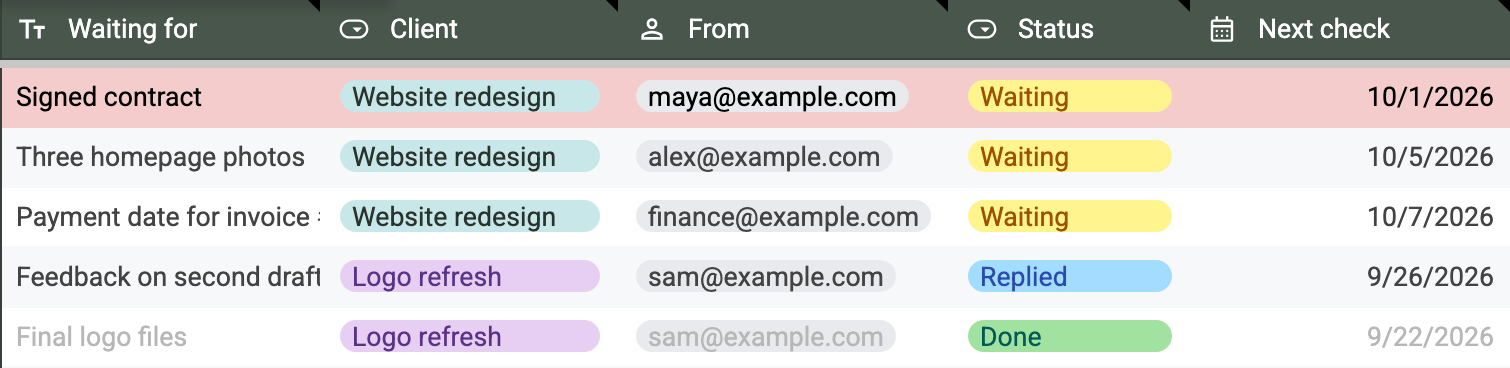
You can also make a copy of this tracker and use it as is; you will need a Google account to make the copy. If you do not have one, email us and we will send you an Excel version. It is a free Google Sheet with the columns above plus a few more: when you asked, how many days you have been waiting, how many follow-ups you have sent, and the email link. A row turns red once its check date passes while you are still waiting, and grey once you mark it Done.
Review the list on your chosen dates. When an answer arrives, update the item: mark it done if the request is satisfied, or record what is still missing and the next check date.
You can do this in a spreadsheet, calendar or task manager. If you already use a CRM, it can live there too, though most CRMs are built around a sales pipeline, which can feel heavy for a small team that just needs to know what it is still waiting on. A Gmail “Waiting for” label with a regular review is another option. People describe using spreadsheets and calendars together in this freelancer discussion. The GTD waiting-for workflow also describes using email filters to collect requests you are waiting on.
These methods can work well. They need you to maintain the record as replies arrive, deadlines move and requests change.
Gmail Nudges can surface some sent emails that may need a follow-up. Snooze lets you bring a message back at a time you choose. You still need to work out what is outstanding, whether another conversation has resolved it, and what to say next.
Let Pingbo keep the list for you
The spreadsheet works, but you fill in every column and keep every row current yourself. Here is what Pingbo takes off your hands:
- Waiting for, and from whom. With the spreadsheet, you add a row every time you ask a client for something. With Pingbo, once you send the request, the Matter moves to Waiting on its own, noting who you are waiting on and what for.
- Status. With the spreadsheet, you change it by hand, and a row you forget stays “Waiting”. With Pingbo, a reply ends the wait. If the client asks you something, the Matter moves to Needs you; if you are still waiting on them, it stays in Waiting. When the work looks finished, Pingbo asks you to confirm before it goes to Done.
- Next check. With the spreadsheet, you pick a date and then remember to open the sheet; forget once, and the request quietly drops. In Pingbo, every Matter in Waiting always has its next follow-up scheduled, shown right on its card as “Scheduled follow-up on Oct 6”. Nothing you are waiting on gets forgotten.
- Email thread. The spreadsheet holds one link, and following up means clicking back and rereading the history. Pingbo gathers the contract, the photos and the homepage review into one Matter, so the context is already in front of you.
- The email itself. The spreadsheet turns a row red; you still write the follow-up. When the date passes with no reply, Pingbo drafts the follow-up first and then moves the Matter to Needs you. You read it, edit it if needed, and send it.
The spreadsheet remembers that you need to follow up. With Pingbo, the follow-up is already written: review it, and it is one send away.
Anyone who works with clients knows the feeling: the contract is unsigned, the payment has not arrived, the files are late. Chase, and you worry about seeming pushy; wait, and the project stalls. With Pingbo, every request you are waiting on is remembered and watched for you, and when it is your move, the follow-up is already drafted. You can stop carrying it and get back to the work in front of you.
We explain how related threads fit together in our article on email agents after Notion Mail.
If you manage client work through Gmail and want to try this approach, join the Pingbo beta.